How to Run Supply and Engineer Logistics in HLLV
A small-team hand-off that prevents supplies from arriving after the engineer has already left.
Choose the helicopter job first—transport troops or carry supplies—then name the destination, the builder, and the person who will confirm delivery. Have the pilot and co-pilot check the Supply HUD, and treat a receiver confirmation plus a usable build as success.
Read the answer source: Helicopter pilot / logistics discussion ↗- A transport or supply helicopter task
- A named destination and ground builder
- Pilot/co-pilot communication and current Supply HUD
- A safe approach and return route
Action sequence
- STEP 01
Before takeoff, say whether the run is troop transport or supply delivery. Name the destination, the Engineer or squad receiving it, and the return route.
- STEP 02
The pilot and co-pilot should both check the current Supply HUD. Use the live prompt for any seat-switch action instead of relying on a key from another build.
- STEP 03
Approach the agreed drop area with enough room for the ground team to work. The drop input and seat routine are platform-sensitive player reports, so verify the live prompt rather than copying a key list.
- STEP 04
Have the ground builder confirm that supplies arrived and that the intended blueprint or structure can be placed. Success is a receiver confirmation plus a usable build, not only a drop animation.
- STEP 05
If the HUD is empty, the drop progress is restricted, or supplies fall through the map, reposition once and check the target terrain; record platform, map, and build details if the failure repeats.
- STEP 06
If no builder or destination is confirmed, cancel the run and ask for a named handoff. Reports still conflict about whether the Logistics Officer can build a Garrison, so verify that role in the current build.
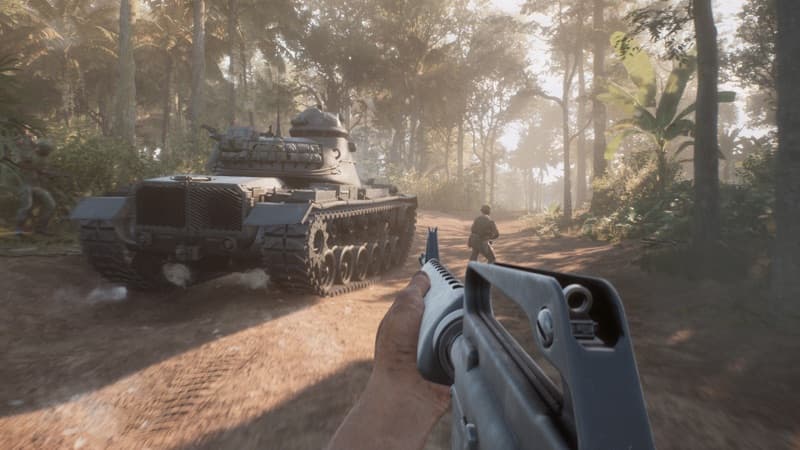 HLLV / MISSION SCENE
Player notes from the field
These are player observations for handling match-to-match differences. They are not official rules and do not replace the direct answer above.
Transport and supply helicopters are different jobs
Current player discussions distinguish the troop-transport helicopter from the supply helicopter: one carries squads, the other drops supplies for garrisons or engineers. Pick the job before takeoff so the destination and receiver are not improvised in the air.
Confidence boundary: Community role distinction; exact aircraft availability and behavior can change.
Open field source · Supply helicopter discussion ↗Solo supply drop: one PC report, not a bind guide
One current player reports landing the supply helicopter, switching to the co-pilot seat, and using E on PC to drop the load; the same report says to reposition when the terrain does not suit the drop. Keep this as a single-thread workaround. Do not present E as a universal binding for another platform or build.
Confidence boundary: Single-thread PC report; verify the prompt and seat behavior before relying on it.
Open field source · Supply helicopter discussion ↗Logistics Officer garrison ability is still a live-build check
A current player discussion says one Logistics Officer with a supply helicopter can build garrisons. Another earlier discussion linked on this page describes the opposite limitation, so this is not a settled mechanic here: test the role in the live build and record the platform before treating it as reliable.
Confidence boundary: Single current thread, contradicted by another linked discussion; verify in build.
Open field source · Helicopter controls and pilots ↗If it doesn’t work
- The current build's exact supply output, transport limits, and role restrictions are not fixed here.
- Helicopter and ground-transport routines vary by server, map, platform, and pilot availability.
- Update 1.5 changes the helicopter model and Supply HUD visibility but does not settle the disputed Logistics Officer role behavior or every platform binding.
- This page turns repeated community advice into a handoff checklist. Update 1.5 replaces the fictional transport helicopter with the licensed Bell UH-1 Huey, gives the pilot Supply HUD visibility, and fixes some supply-drop failures; it does not establish a universal drop radius, cap, route, or seat binding. Current player reports still conflict on some Logistics Officer details.
Evidence & version notes 10 linked sources
Open the original discussion or official note when the detail matters. This page is an unofficial player reference.
- 01Official HLLV game overview ↗Official
- 02
- 03
- 04Helicopter pilot / logistics discussion ↗Player discussion
- 05Supply helicopter discussion ↗Player discussion
- 06Helicopter controls and pilots ↗Player discussion
- 07How do you build nodes? ↗Player discussion
- 08HLLVN field guide ↗Community guide
- 09Official HLLV Update 1.5 ↗Official
- 10Official HLLV Hotfix 1.4.2 ↗Official
Checked 2026-09-16. Mechanics, controls, and player reports can change with the build; verify patch-sensitive details in your current game.